
Automatic diagnostics and log files generation using the RIA DigiDoc application
Using the RIA DigiDoc application, you can generate and save a diagnostic file and the libdigidocpp library's log file. By default, the generation of log files is turned off in the RIA DigiDoc application.
In order to generate diagnostics on your mobile phone:
Step 1:
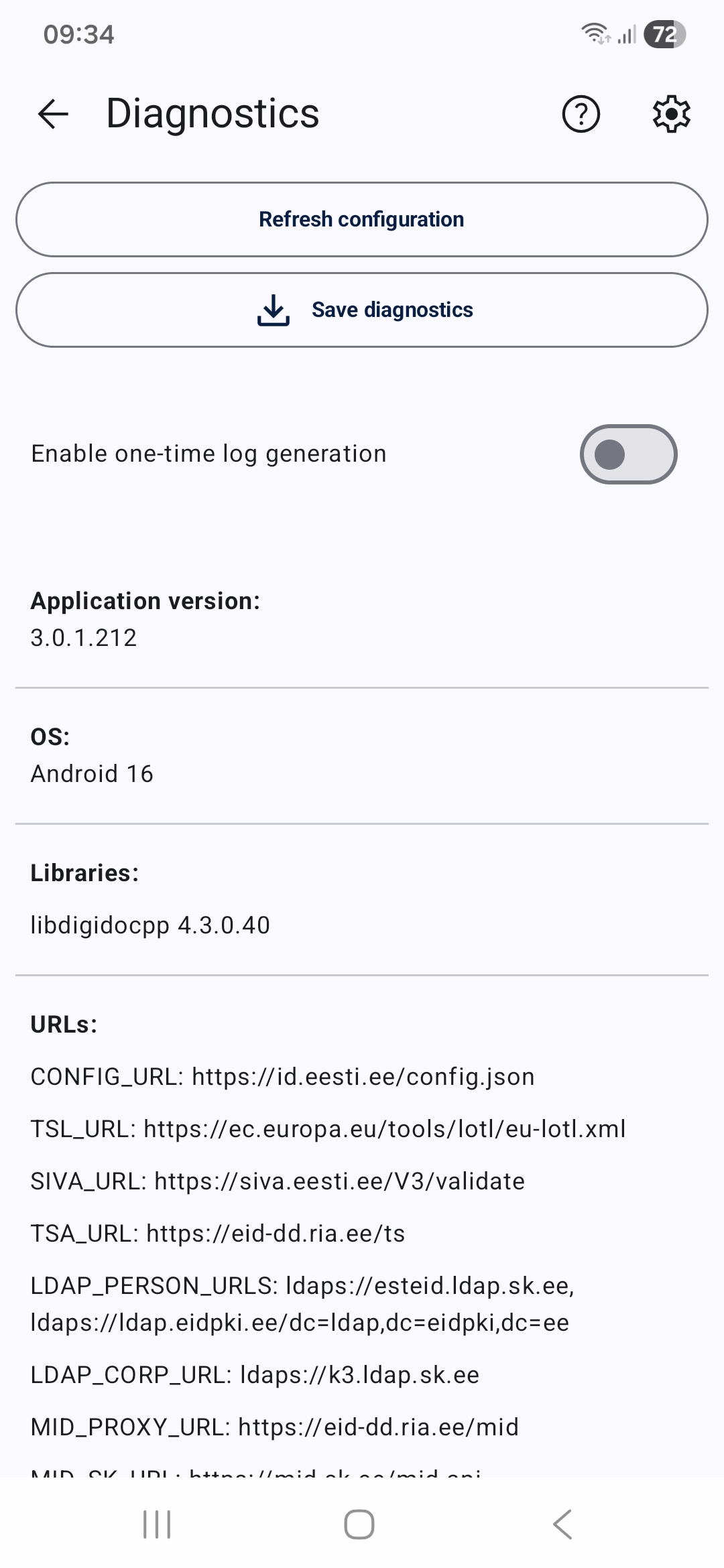
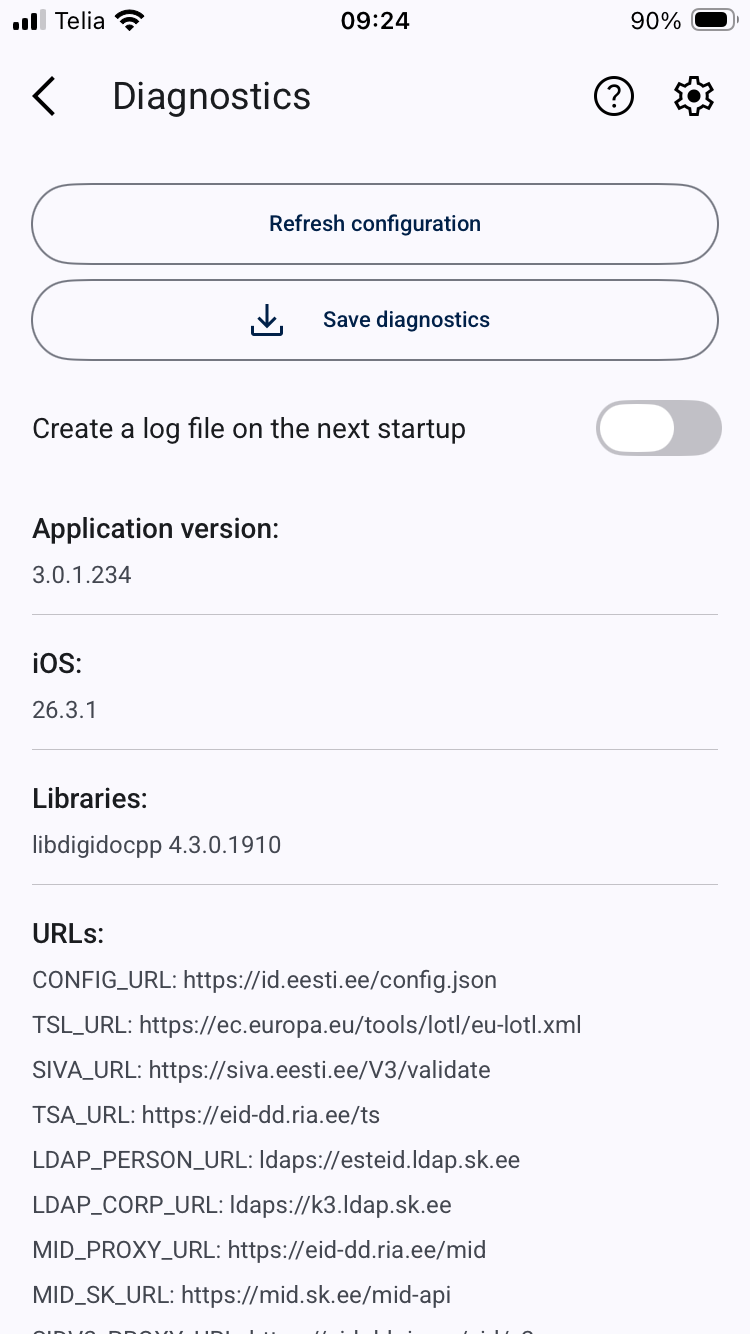
Open the RIA DigiDoc application and tap the „three dots” in the upper right corner. In the vertical menu on the left is the „DIAGNOSTICS” option. Open it up.
| Android | iOS |
|---|---|
 |
 |
Step 2: Saving diagnostics report.
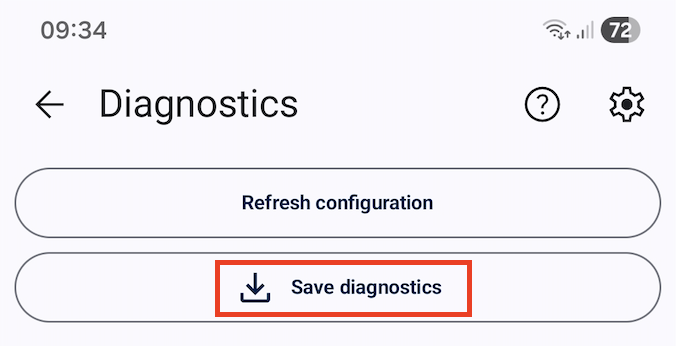
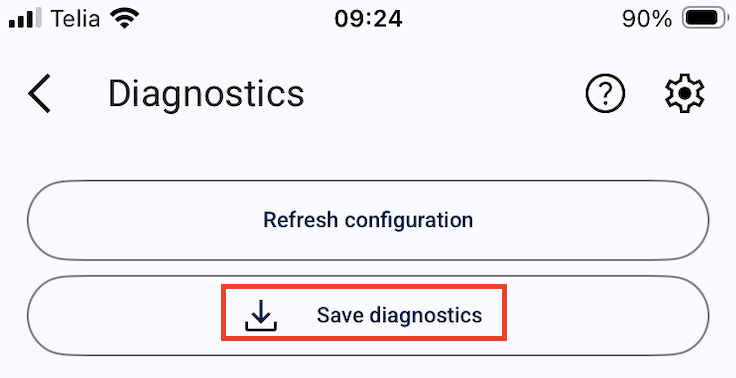
To save the diagnostics file, click the „SAVE DIAGNOSTICS“ button at the top of the diagnostics window.
 |
 |
In order to generate log (and the libdigidocpp library's log file as well) on your mobile phone:
Step 1:
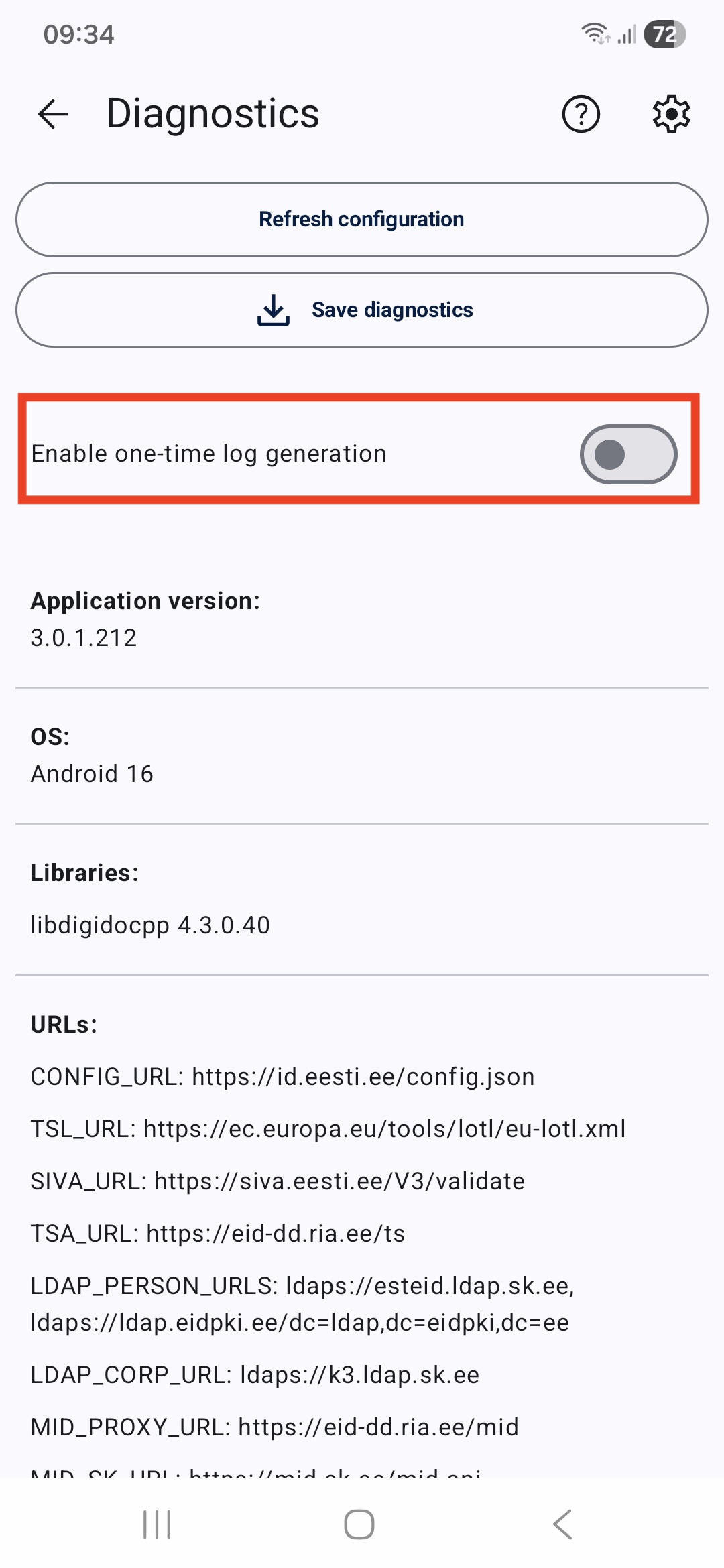
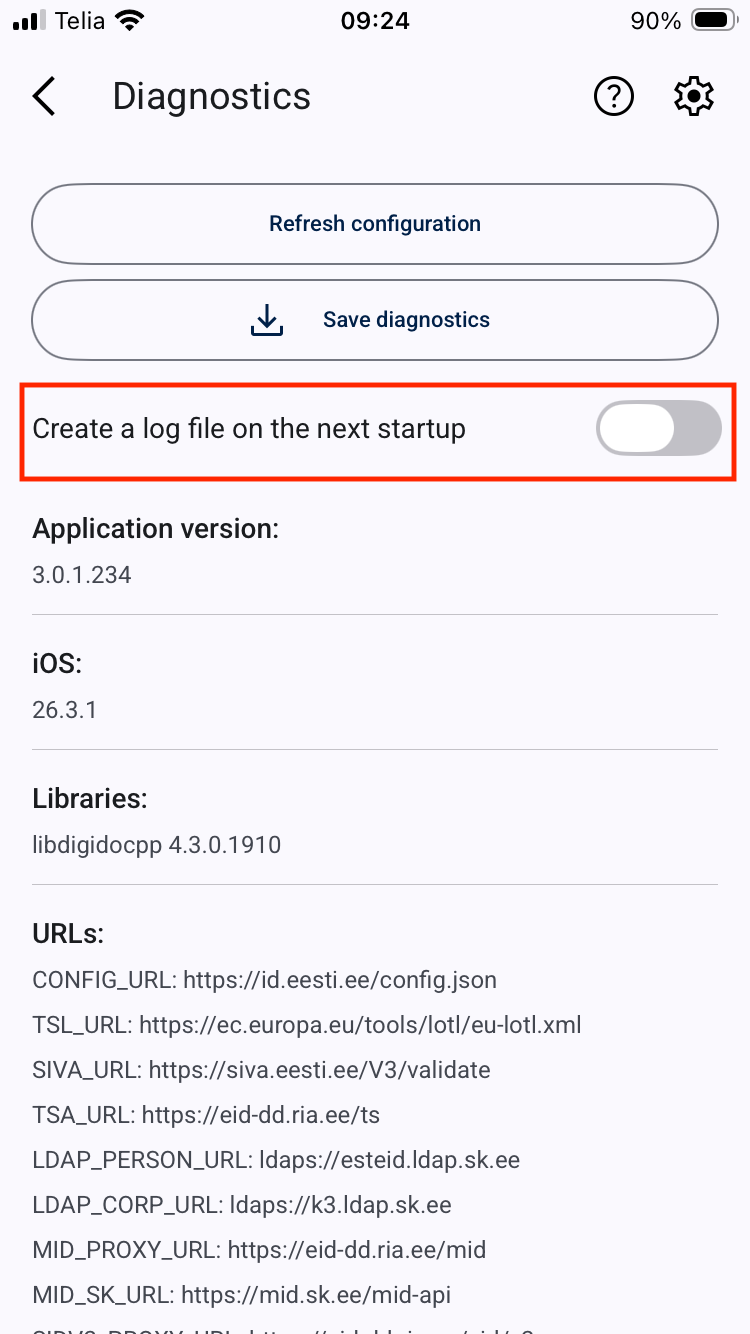
Open the RIA DigiDoc application and tap the „three dots” in the upper left corner. In the opening menu there isa „DIAGNOSTICS” option. Open it up and activate "Create a log file on the next start up".
| Android | iOS |
|---|---|
 |
 |
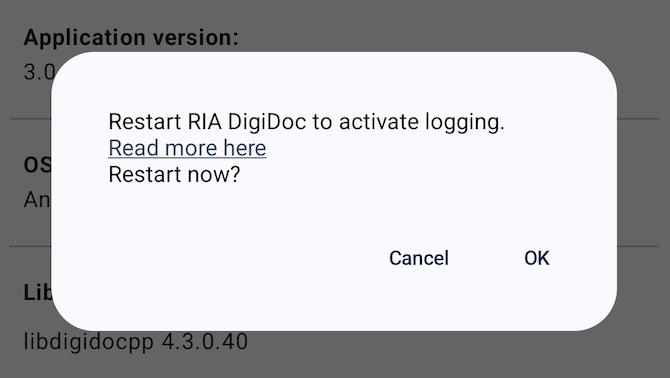
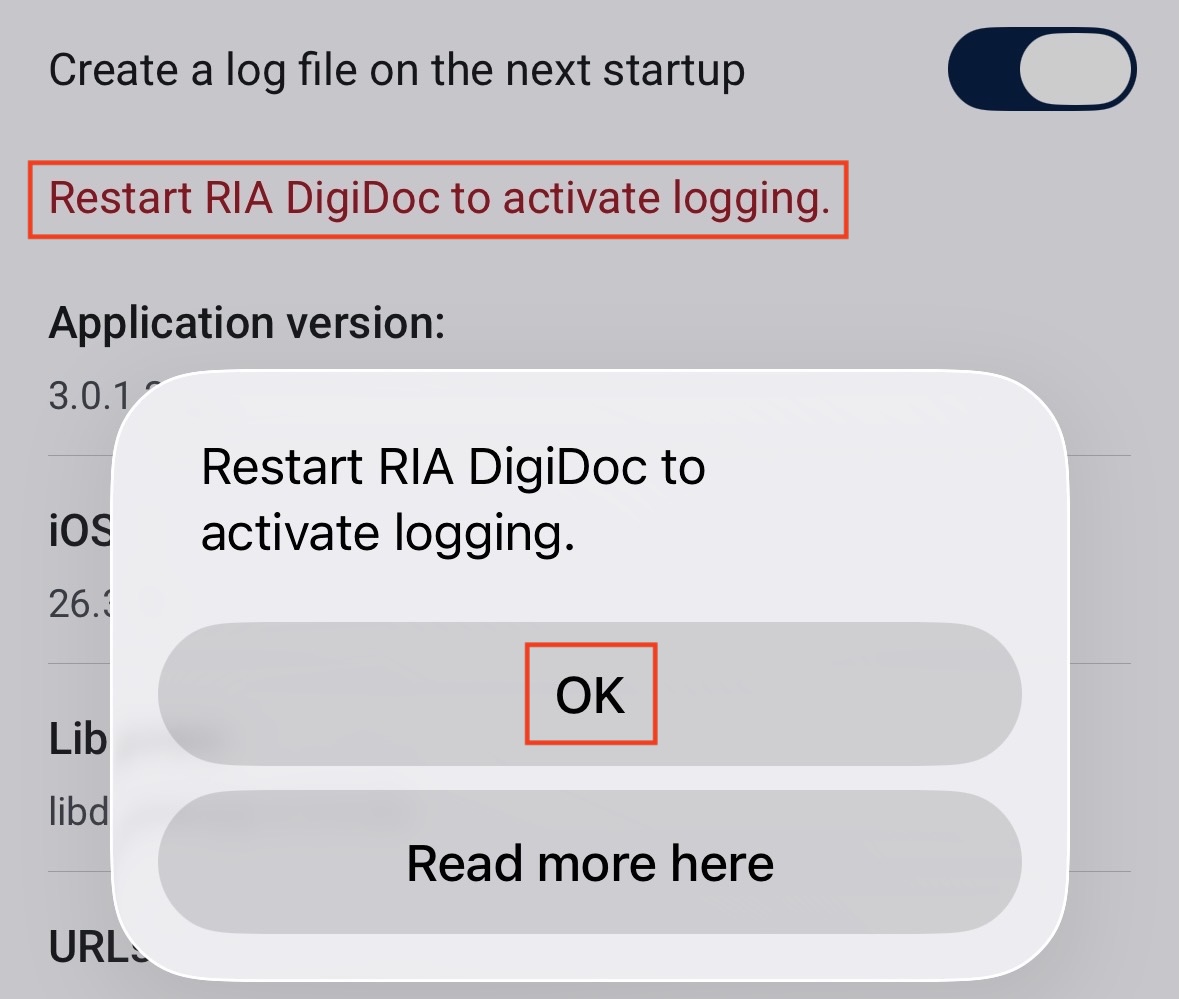
To restart the RIA DigiDog application select "OK".
| Android | iOS |
|---|---|
 |
 |
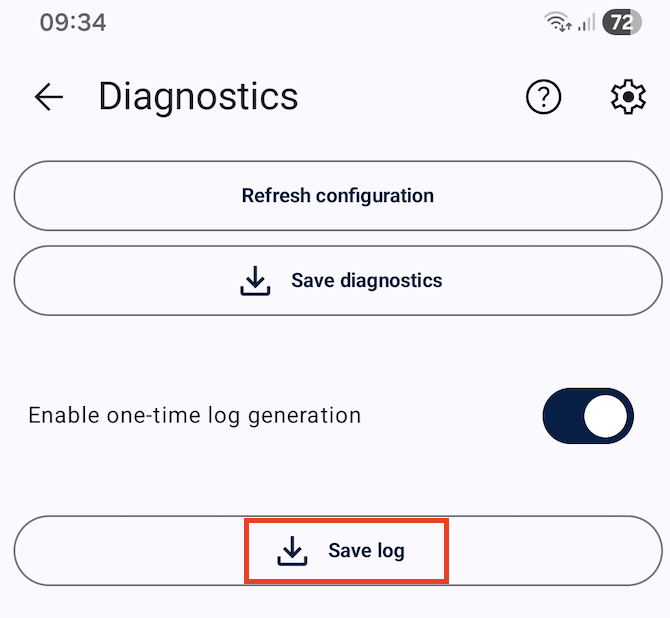
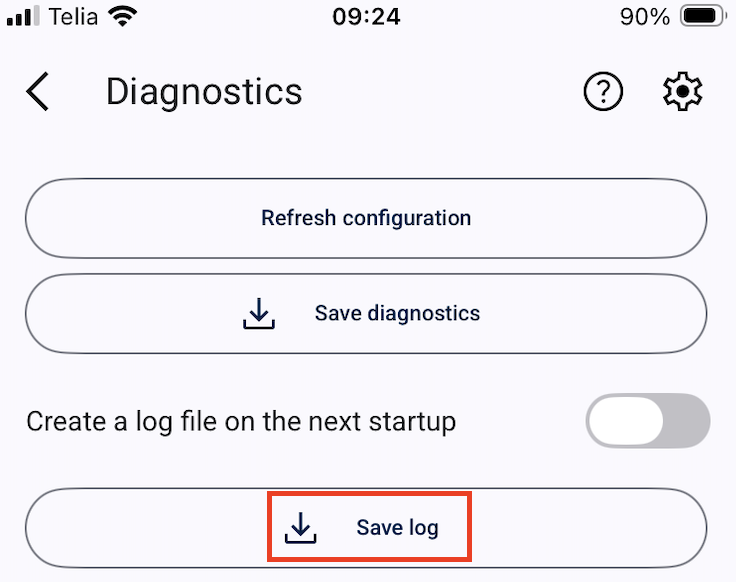
Step 2: Saving the log file.
To save the log file, click the „SAVE LOG FILE“ button on the diagnostics window.
| Android | iOS |
|---|---|
 |
 |
